Still choosing a designer? Read the Roblox UI designer hiring checklist before preparing your brief.
By Rameez Ahmed · Published August 7, 2026 · Updated October 22, 2026 · 7 min read
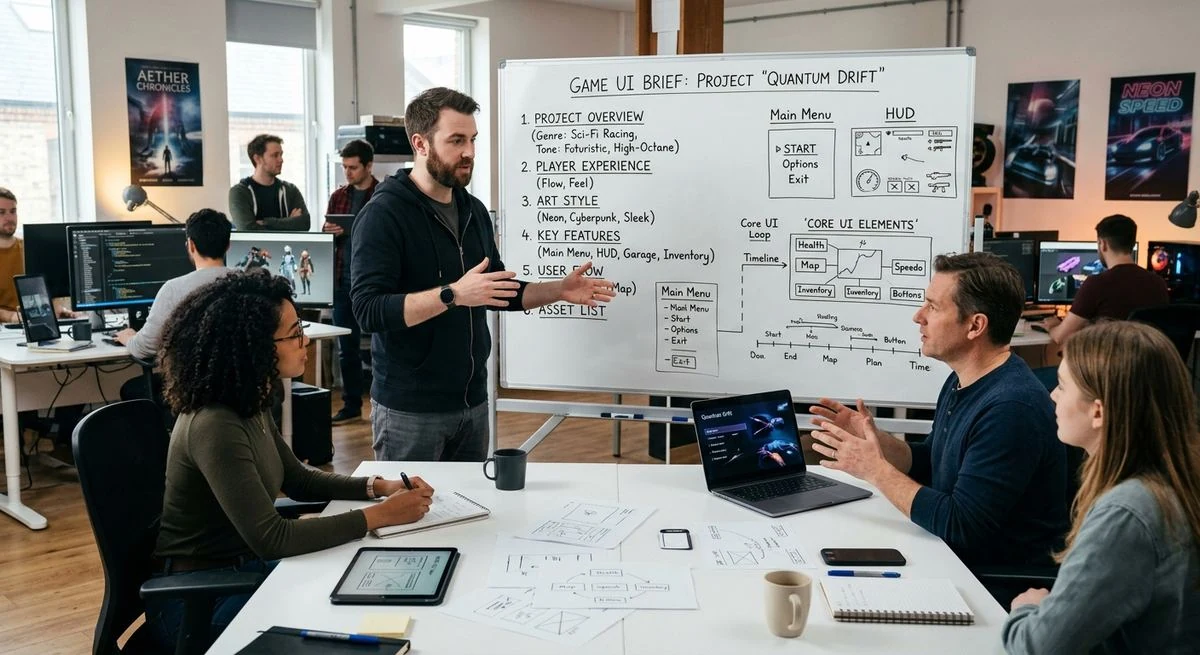
Every game UI project starts the same way: a client reaches out with an idea for a HUD, an inventory system, or a full interface overhaul. Some of those briefs turn into smooth, three-round projects that land exactly on target. Others turn into six rounds of "not quite what I meant." The difference almost never comes down to design skill — it comes down to the brief.
After designing UI for dozens of Roblox games and indie titles, here's what actually separates a brief that gets you a great result from one that leads to frustrating back-and-forth.
Why the brief matters more than you think
A designer can't read your mind, and they definitely can't read the version of your game that only exists in your head. Every assumption they have to make on your behalf is a guess — and guesses take revision rounds to correct. A tight brief front loads the thinking so the first draft is already close to right.
What to include in a game UI brief
1. Genre and core gameplay loop
Is it a simulator, a tycoon, an RPG, a PvP shooter? The genre alone shapes what the HUD needs to prioritize. A tycoon needs currency and production trackers front and center. A PvP game needs health, cooldowns, and kill feeds readable in a split second. Explain the loop — what does a player do, minute to minute? — and the UI priorities follow naturally.
2. Reference games (and what you like about each)
"Make it look good" is not a brief. "I like how [Game X] handles its inventory grid, but I want our rarity tiers to be more visually distinct like [Game Y]" is a brief. References are the fastest way to close the gap between what's in your head and what a designer can act on. Two or three references with a specific note on each beats ten links with no explanation.
3. Visual style and existing brand assets
If your game already has a logo, color palette, or established art style, share it — even if it's just a few marketing thumbnails or a Discord icon. If you're starting from zero, that's fine too, but say so explicitly, so the designer knows they're building the visual language from scratch rather than trying to match something that doesn't exist yet.
4. Priority screens
List every screen you need (HUD, inventory, shop, settings, character select, etc.) and rank them. Which screen does a new player see first? Which one do they interact with most? This helps the designer sequence the work and spend the most design time where it actually matters.
5. Platform and technical constraints
Roblox UI behaves differently than a standalone mobile game — screen ratios, safe zones, and engine limitations (like Roblox's GUI object system) all affect what's realistic to design and build. Mention the platform, target devices (mobile/desktop/console), and any engine-specific constraints upfront.
6. Timeline and budget
Designers scope differently depending on your timeline. A rushed 3-day turnaround and a relaxed 3-week one lead to different processes — the first might skip early concept exploration, the second allows more iteration. Being upfront about both lets your designer scope the project honestly instead of guessing.
Common brief mistakes that slow projects down
Being too vague on purpose, hoping for "creative freedom." Open ended briefs sound generous, but they usually just mean more revision rounds while the designer tries to converge on what you actually wanted.
Sending references with no explanation. A moodboard without notes forces the designer to guess which specific element you liked — the color, the layout, the icon style, or all three.
Leaving out the "why." If a feature exists for a specific gameplay reason, say so. A designer who understands why the currency counter needs to be huge (because the whole game loop is about watching it grow) will design it very differently than one who's just told "make the currency counter bigger."
A quick brief template
If you're not sure where to start, answer these six questions in a doc or even a voice note:
- What's the game and what's the core loop?
- What 2-3 games/UIs do you like, and what specifically about each?
- Do you have existing brand assets or colors to work from?
- Which screens do you need, in priority order?
- What platform(s) is this for?
- What's your timeline and budget range?
That's genuinely most of what any game UI designer needs to give you a strong first draft.
See this approach in action in the Fuse a Brainrot UI case study. For a larger screen inventory, compare Ascendant Link’s RPG UI system, including equipment, quests and crafting.