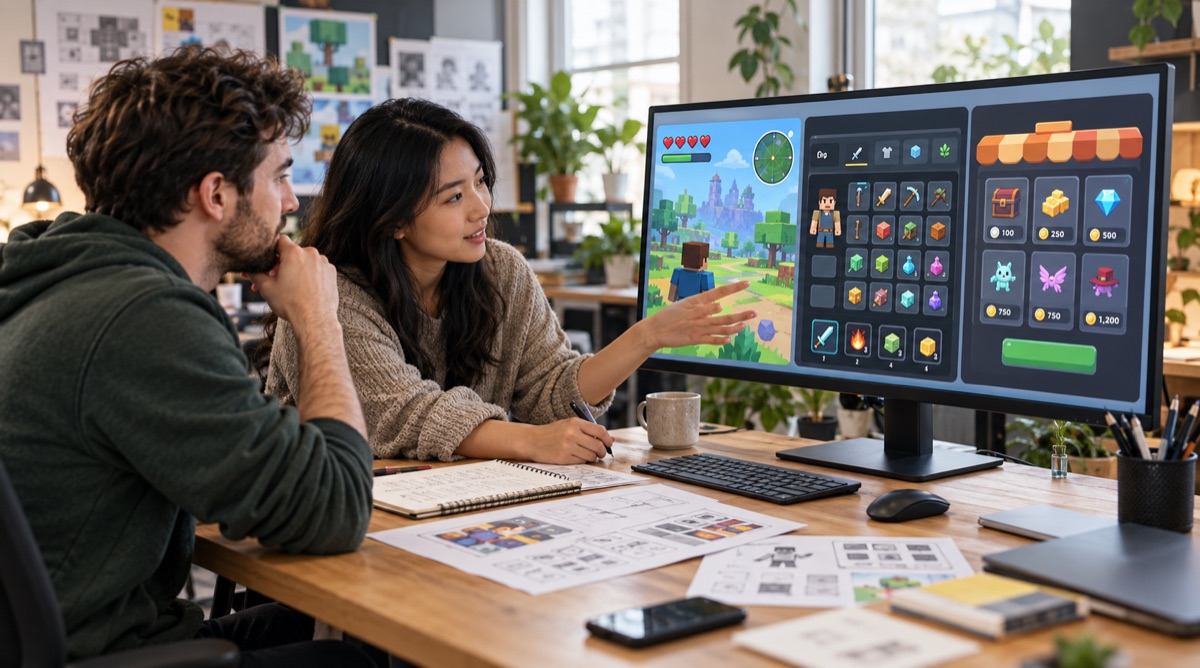
To hire a Roblox UI designer, compare relevant game interfaces, agree on the screens and states you need, and confirm exactly what the designer will hand over. A polished screenshot is useful evidence of visual craft, but it does not tell you whether your developer will receive editable artwork, exported assets or a working interface inside Roblox Studio.
This guide helps you evaluate a designer and compare quotes before booking. If you have already chosen someone, use the separate game UI briefing guide to prepare your project details.
Decide whether you need design, implementation or both
“Custom Roblox GUI design service” can mean different things. One designer may create layouts and artwork. Another may assemble the interface in Studio. A developer may also connect buttons, inventory data and purchases to game systems. Ask which of these responsibilities the quote covers.
- Visual design: layout, typography, colors, icons and screen artwork.
- Studio assembly: building and arranging the GUI objects inside your experience.
- Functional integration: connecting interface actions to the game's logic and data.
Agree on who owns each step. Roblox's official UI documentation explains the engine's interface objects and layout tools. Those implementation requirements are a separate discussion from approving a visual concept.
Review the portfolio against your game's actual needs
Look for examples that solve a similar interface problem, even if the art style is different. For a simulator, ask how the designer prioritizes currency, progress and repeated actions. For an inventory-heavy game, look at item scanning and selection. A beautiful title screen alone is limited evidence for either task.
Ask the designer to walk you through one project: what did the player need to understand, what was included, and what changed during review? The Fuse a Brainrot case study shows work from Evoke's Roblox UI portfolio. Use real project examples to discuss visual direction and scope; do not assume a portfolio image includes scripting or proves a gameplay result.
Compare HUD, inventory and shop scope separately
A “full UI” quote is hard to compare until both sides agree on an inventory of screens. Break the work into named components and list the states that affect the artwork or layout.
Roblox game HUD design
Define the information players need during play: health, currency, objectives, abilities or progress. Ask what remains visible, what appears temporarily and where touch controls need space. Include the labels and number formats the layout must accommodate.
Roblox inventory UI design
List the item grid, categories, selected-item details and equip actions. Consider an empty inventory, long item names, locked slots and full capacity. These are examples to review with your team, not an automatic list of included deliverables.
Roblox shop UI design
Specify categories, product cards, currency labels and purchase feedback. Discuss locked, unavailable and already-owned items if your game uses them. Decide whether gamepass icons are included, supplied by your team or quoted as a separate asset set.
Ask how mobile and other devices will be reviewed
Roblox interfaces need to account for different screens and input methods. Ask which devices the design covers and who will test the implemented interface. Roblox's positioning and sizing guidance discusses cross-platform layouts; the ScreenGui reference explains safe-area behavior.
For acceptance, request checks such as readable key labels, reachable controls, no essential information hidden by device cutouts, and a layout that handles realistic text and numbers. A static mockup review and a test in the running game answer different questions. Put both responsibilities in writing where both are needed.
Confirm source files and the developer handoff
Ask for a sample description of the handoff before booking. Confirm editable source format, exported image formats, naming, agreed states and any notes your developer needs. Also confirm what usage rights apply and whether fonts or third-party assets carry separate requirements.
If you need a Figma design brought into Roblox Studio, be specific: do you need a Figma design, Studio assembly or a scripted system? Those are separate deliverables. Evoke's current Roblox UI offer uses Photoshop artwork with agreed PSD and PNG delivery; Figma files or a scripted Studio build should not be assumed to be included.
Compare quotes by deliverables, not only by the total
Ask each candidate to quote the same screen list, states, source files, device coverage and revision allowance. Clarify what counts as a revision and what becomes new scope. Adding an entire shop after approving a HUD is different from adjusting the HUD's spacing.
At Evoke, the Roblox UI Starter begins at $350 USD for one HUD or interface screen, agreed button states, two revision rounds and organized PSD/PNG files. Multiple screens, additional assets and implementation support need an agreed scope. This is Evoke's starting package, not an estimate of every designer's market rate.
Questions to ask before you hire
- Can you show a relevant HUD, inventory or shop project and explain your decisions?
- Which screens, states and custom icons are included in this quote?
- Are you delivering visual assets, a Studio interface or functional integration?
- Which devices are covered, and who checks the interface in the running game?
- What editable files, exports and usage rights will I receive?
- How many review rounds are included, and how are scope changes handled?
- What do you need from my developer before work starts?
Frequently asked questions
Does a Roblox UI designer also script the interface?
Some offer both services; others focus on visual design. Ask whether Studio assembly, button behavior and game-system integration are included. A design portfolio alone does not establish that scope.
Can I hire someone for just an inventory or shop?
Yes, a project can be scoped around one interface. Provide the surrounding HUD or style references so it can fit the rest of the game. The quote should state which screens and states are included.
Should I choose a Roblox specialist or a general game UI designer?
Compare their relevant work and handoff process. Roblox experience can help with platform discussions, while a broader game portfolio may show useful interface skills. Ask how the candidate works with your Studio developer rather than deciding from the job title alone.
Ready to discuss your Roblox interface?
Send your game genre, priority screen, target devices and any existing artwork. I use AI to support research, then make the design decisions and create the artwork myself. Explore Evoke's Roblox UI design service or share your project for a scope discussion.