Ascendant Link — a full RPG UI system.
A complete interface suite for a fantasy MMO-style RPG — from the loading screen to the deepest inventory menu — designed end-to-end in Adobe Photoshop over two weeks.
The Brief
"Ascendant Link: Chronicles of the Infinite Tower" is a fantasy RPG built around climbing an ever-changing tower — parties of players fight through floors, gear up, and take on bosses together. Unlike a single-screen HUD job, this needed a full interface system: every menu a player would touch across a session, from the very first loading screen to deep crafting menus, all sharing one consistent sci-fantasy visual language — glowing cyan edges, angular hexagonal frames, and elegant serif titles over a dark UI base.
Scope of Work
Fifteen screens, one coherent world.
A 14-day build meant establishing the visual system on day one — panel borders, glow treatment, iconography, typography — then applying it consistently across every menu a player opens.
Onboarding & Story
Loading screen, main menu, cinematic letterbox narrative beats, and an interactive tutorial checklist.
Core HUD & Combat Feedback
Main HUD, enemy health bars across three threat tiers, and a real-time party status bar for group play.
Character & Progression
Character creation, equipment paper-doll, inventory, and a full combat "Arts" skill-loadout system.
World & Quests
A zoomable world map with leveled regions and a tabbed quest log tracking objectives and rewards.
Crafting & Settings
A side-jobs crafting system (Blacksmith, Alchemist) and a full 4-tab settings menu.
Onboarding & Story
Setting the tone before play even starts.
The first three minutes decide whether a player takes the game seriously — a painterly loading screen, a clean main menu, and cinematic-style story beats do that heavy lifting.
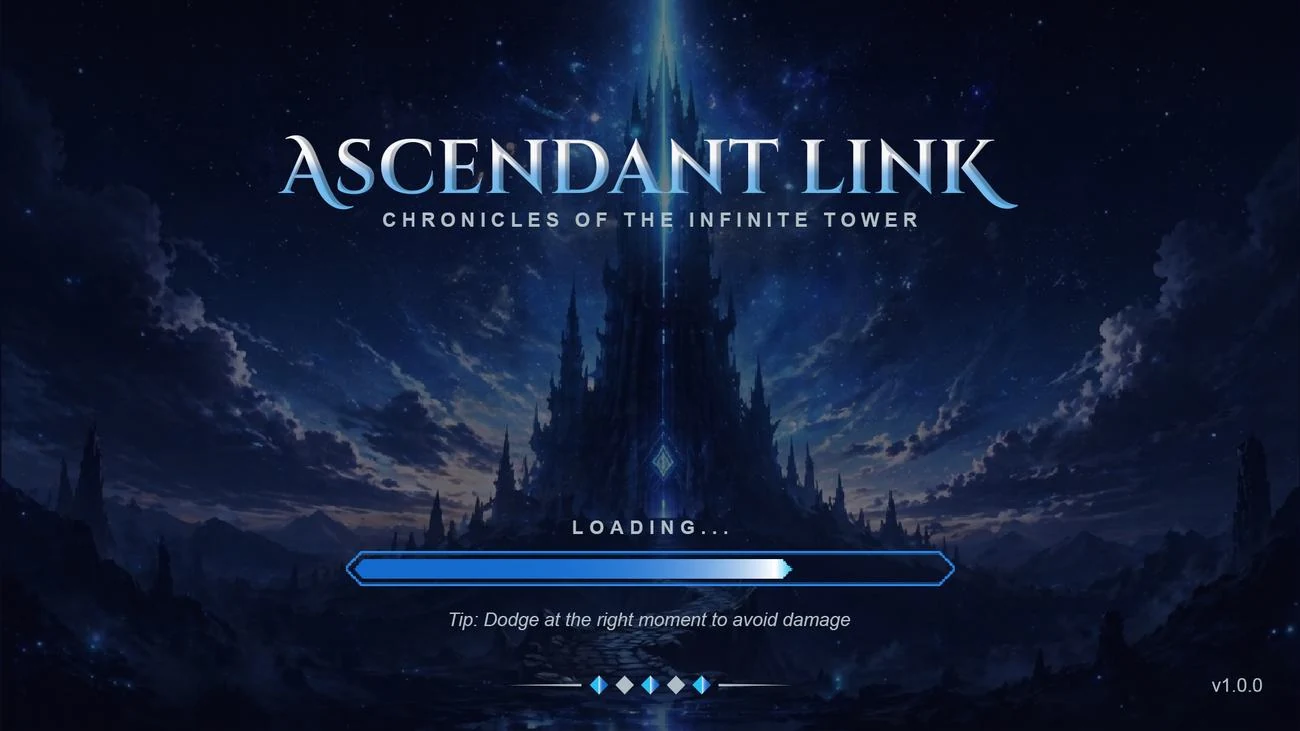
Loading Screen
A painterly tower illustration with the game's serif logotype, a styled progress bar, and rotating gameplay tips.
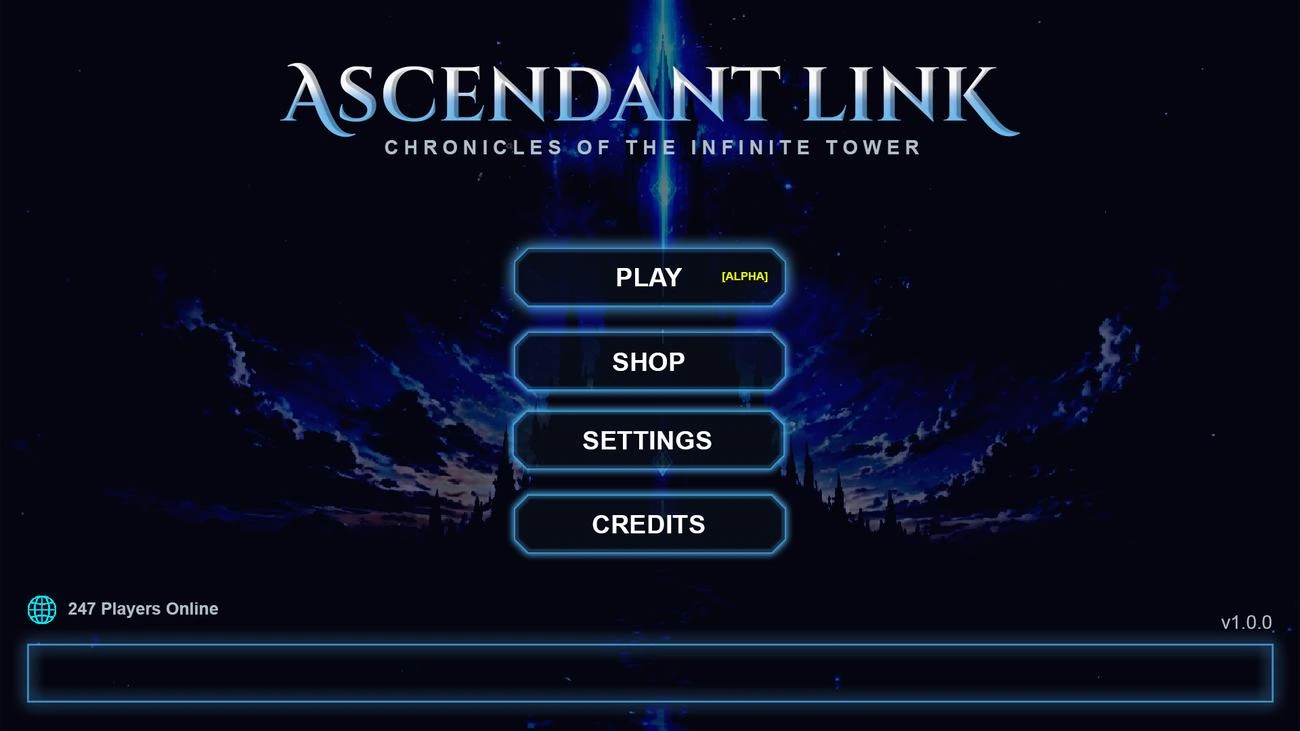
Main Menu
Play, Shop, Settings, and Credits over the same tower art, with a live player-count readout for social proof.
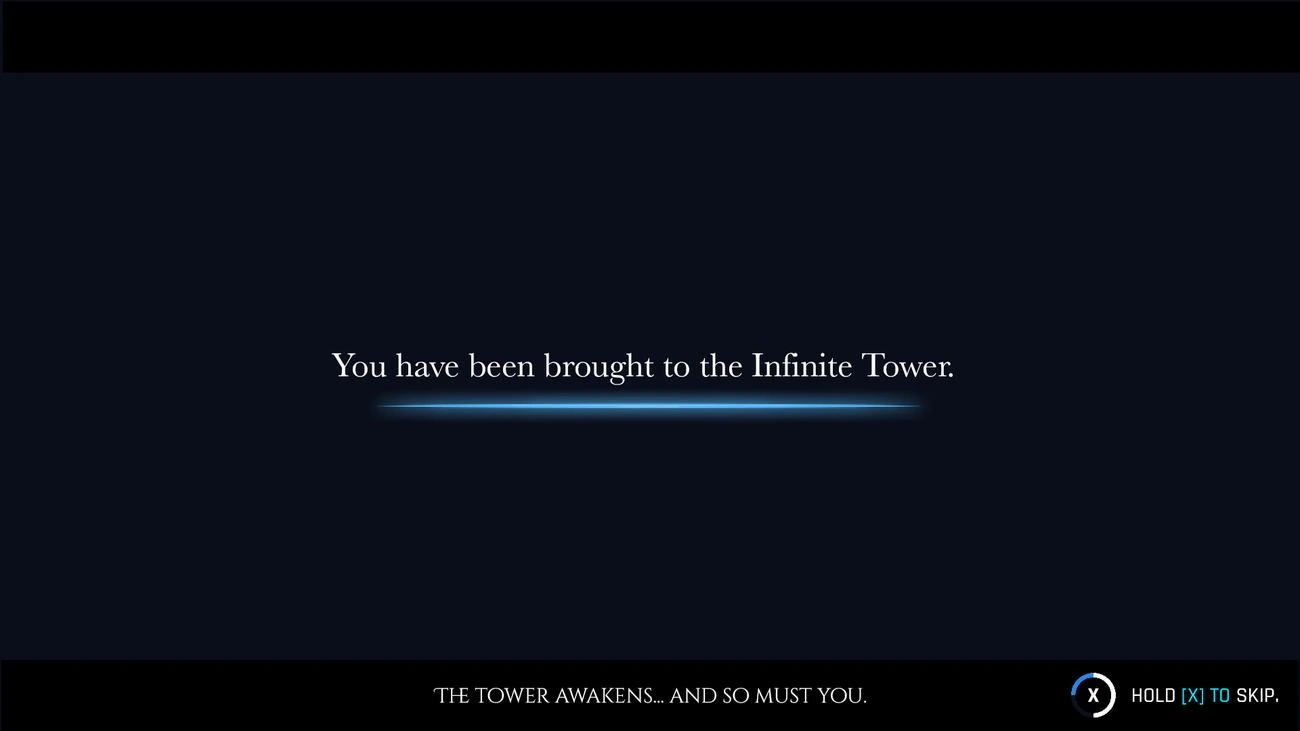
Cinematic Letterbox
Widescreen bars and serif narration text frame key story beats like "You have been brought to the Infinite Tower."
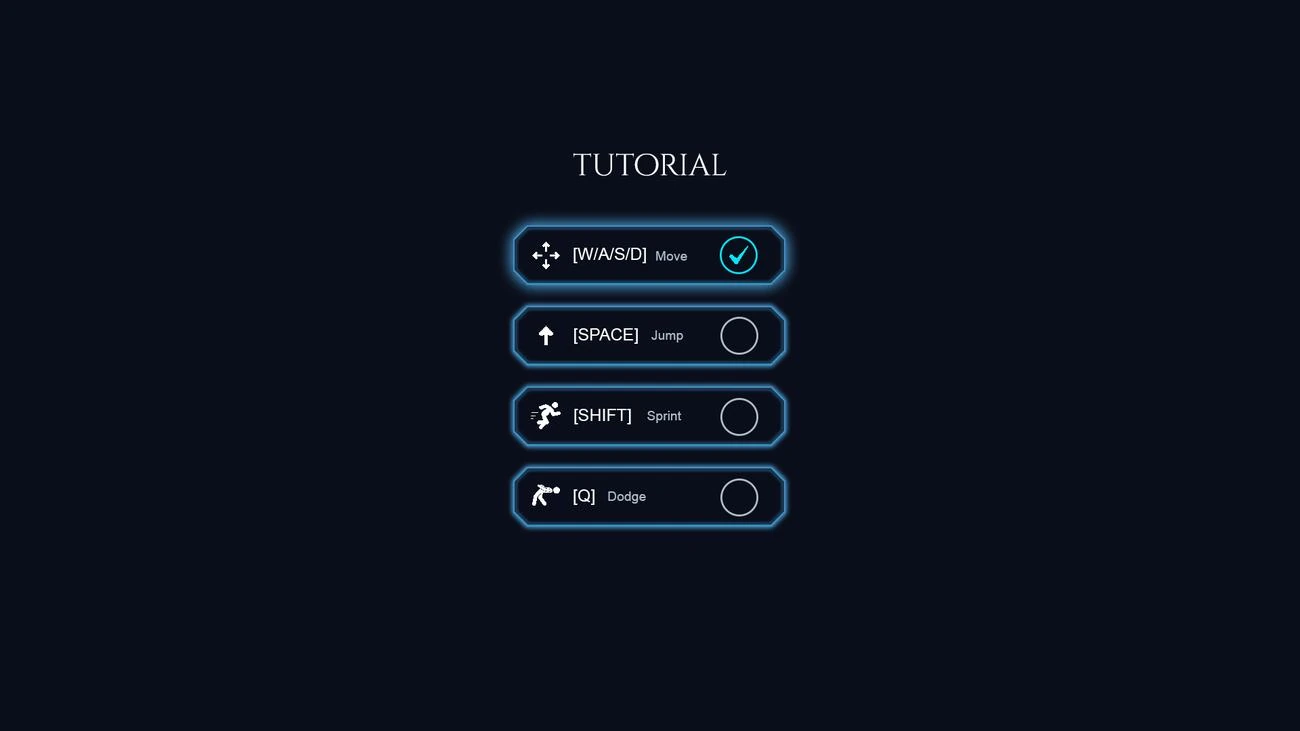
Tutorial Checklist
A simple keybind checklist (Move, Jump, Sprint, Dodge) that confirms each action as the player tries it.
Core HUD & Combat Feedback
Readable at a glance, mid-fight.
Health, stamina, XP, gold, and objectives all had to read instantly during combat — and enemy threat level needed to be obvious before a player committed to a fight.
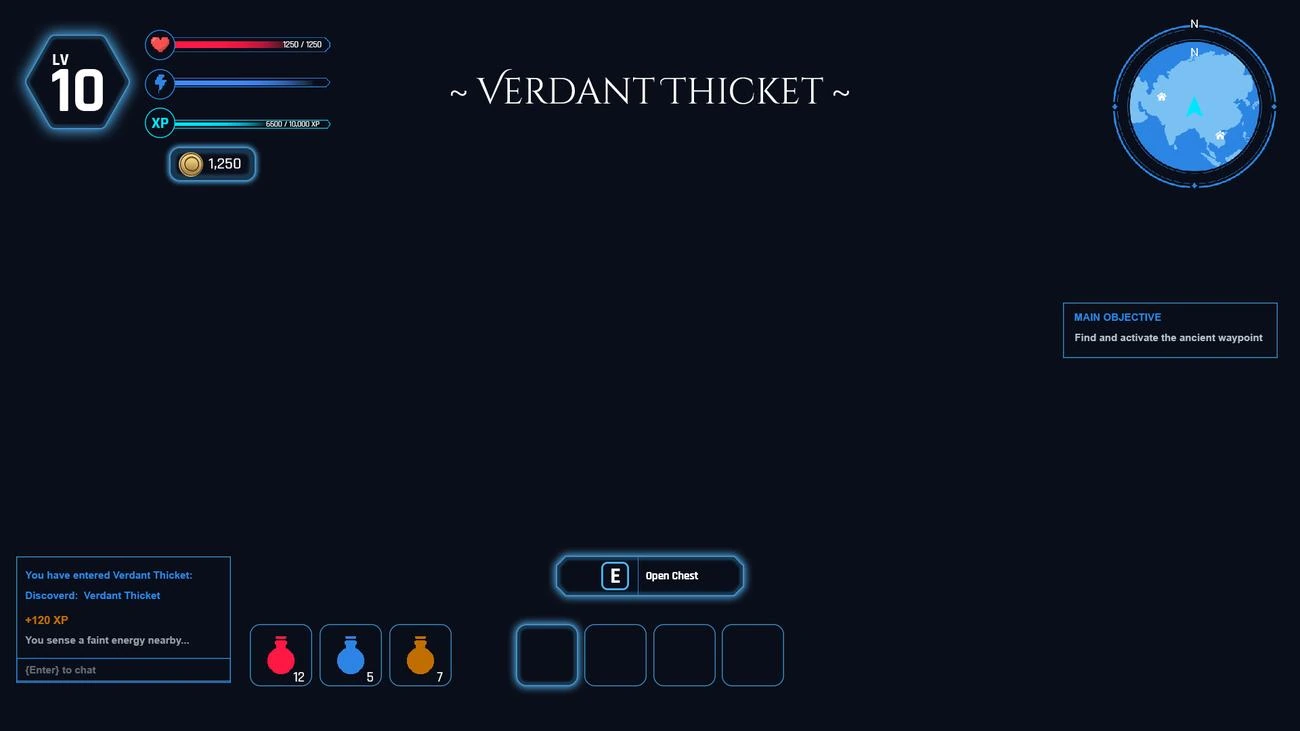
Main HUD
Level badge, HP/stamina/XP bars, gold counter, minimap, objective tracker, and a contextual "Open Chest" prompt.
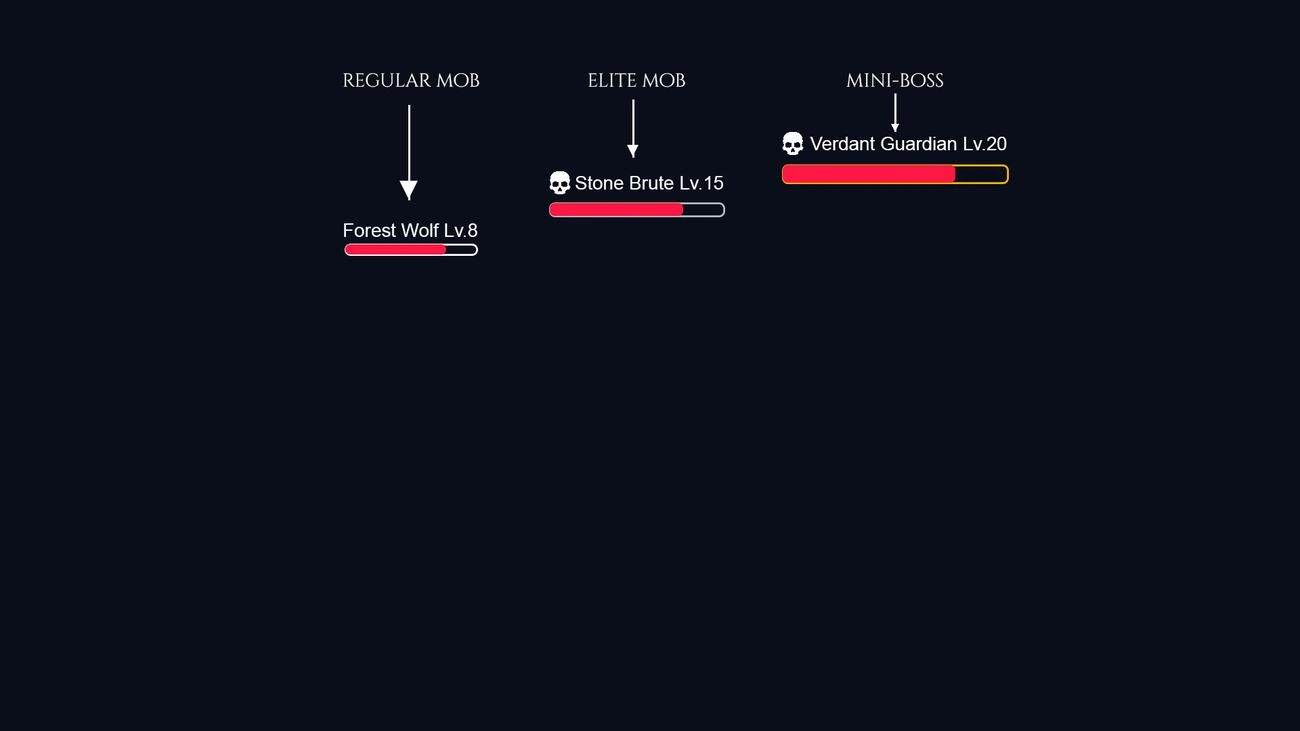
Enemy HP Bar Tiers
Three escalating styles — Regular Mob, Elite Mob, and Mini-Boss — so threat level is legible before the fight starts.
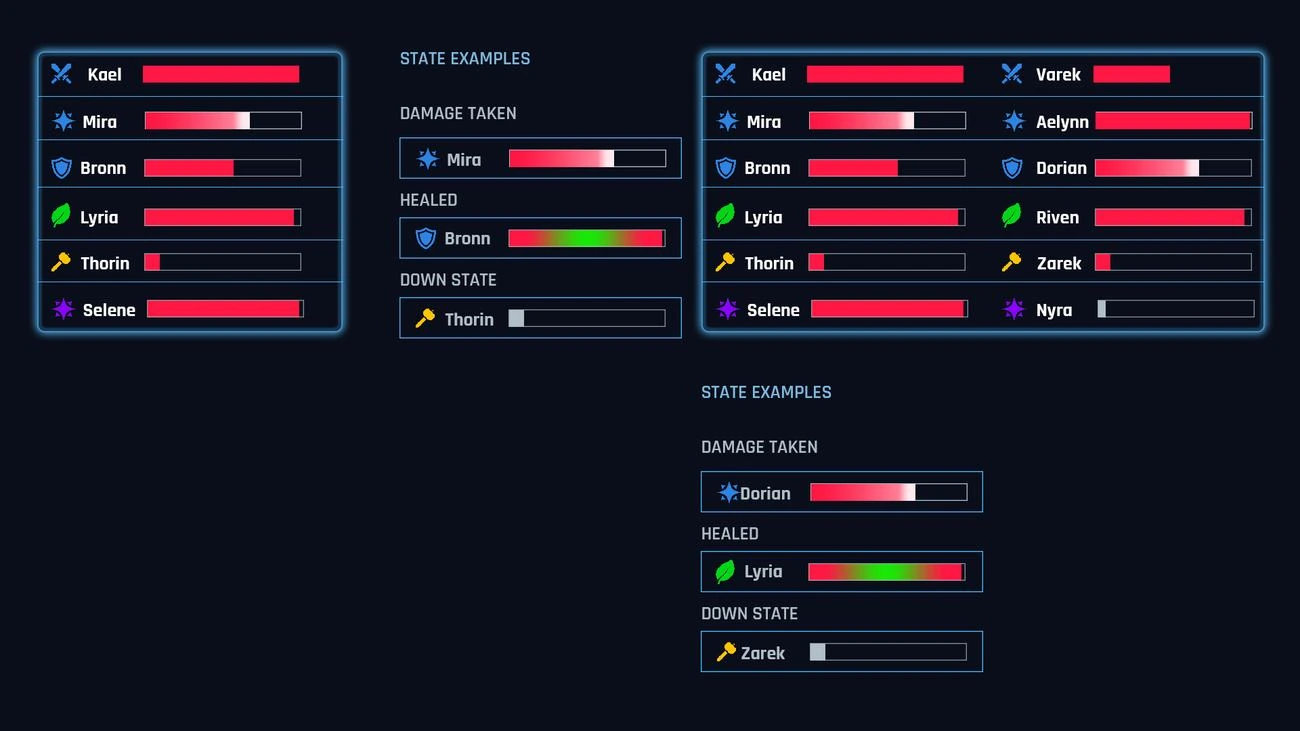
Party Status Bar
Role-coded icons and color-flash states (damage taken, healed, downed) for up to six party members at once.
Character & Progression
Where players spend the most time.
Character build screens get opened constantly, so these needed the clearest hierarchy and the most restraint — no glow effect competing with the stats a player actually needs to read.
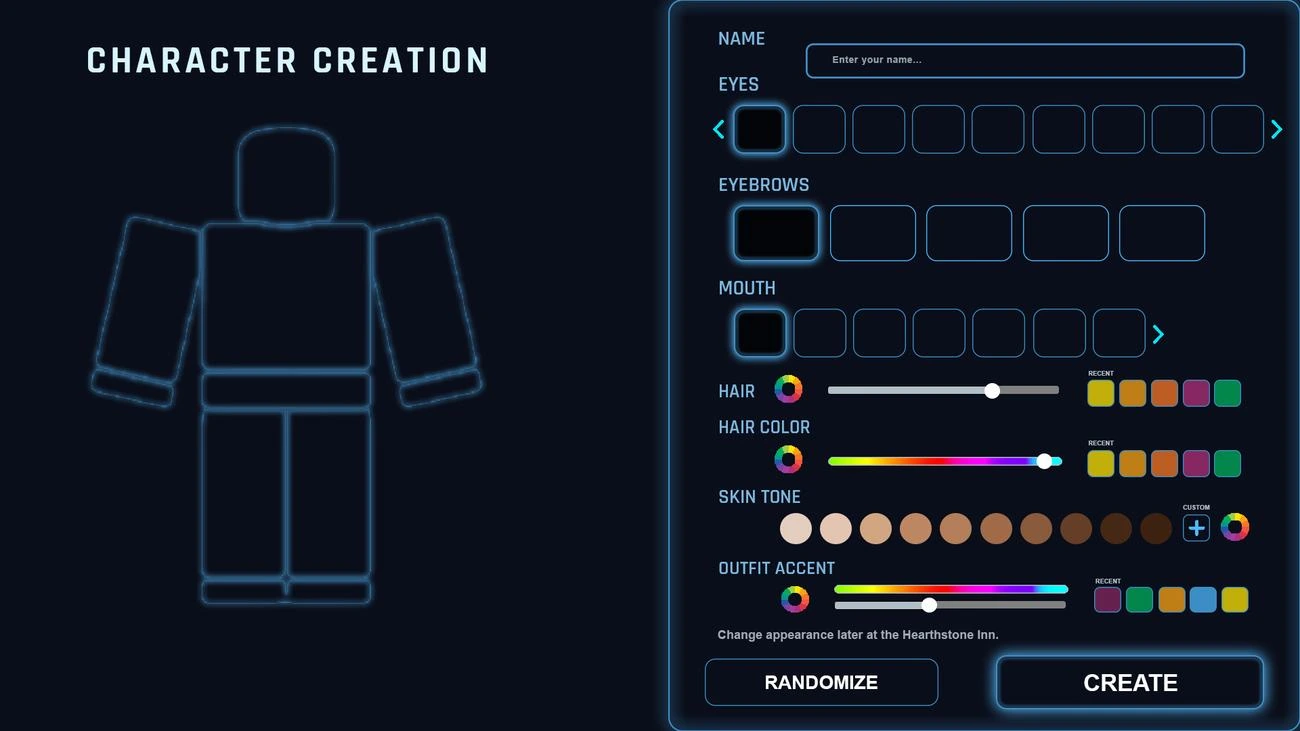
Character Creation
Live-preview avatar builder with eyes, eyebrows, mouth, hair, hair color, skin tone, and outfit accent controls.
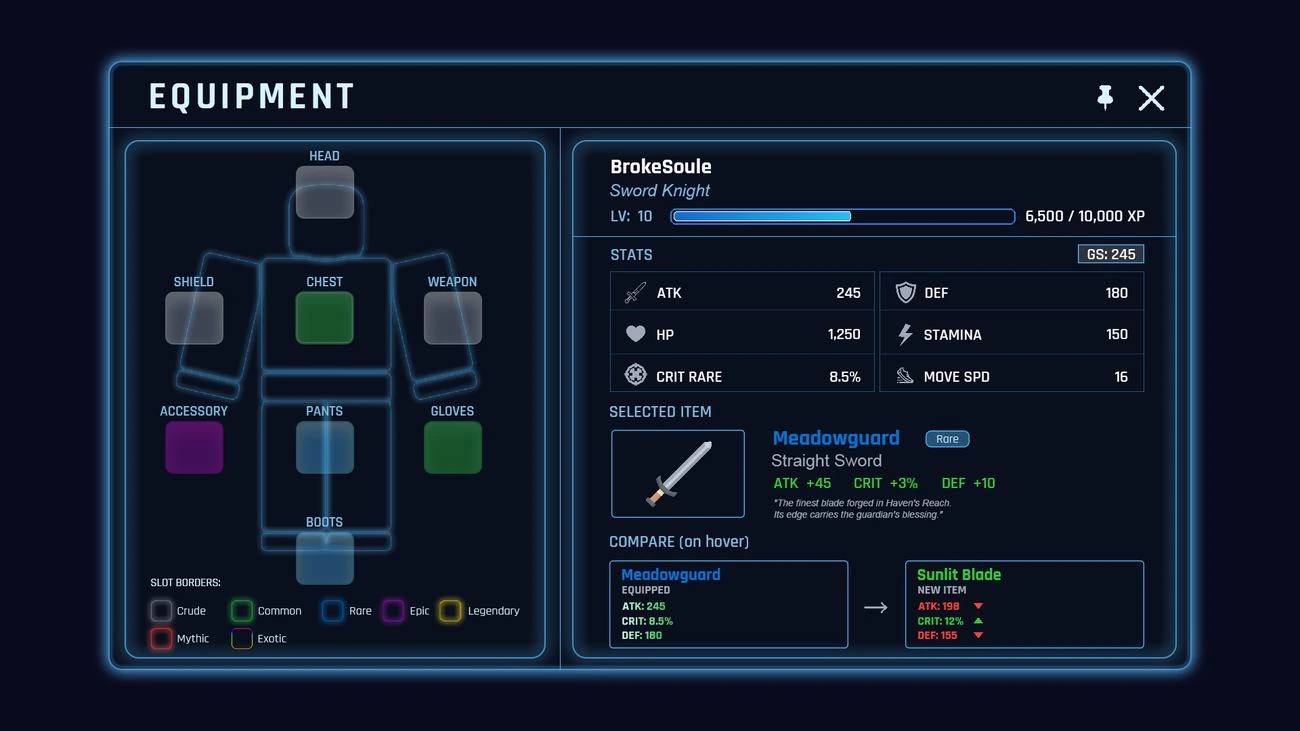
Equipment Panel
A paper-doll layout with rarity-coded slot borders and a hover-to-compare view against newly found gear.
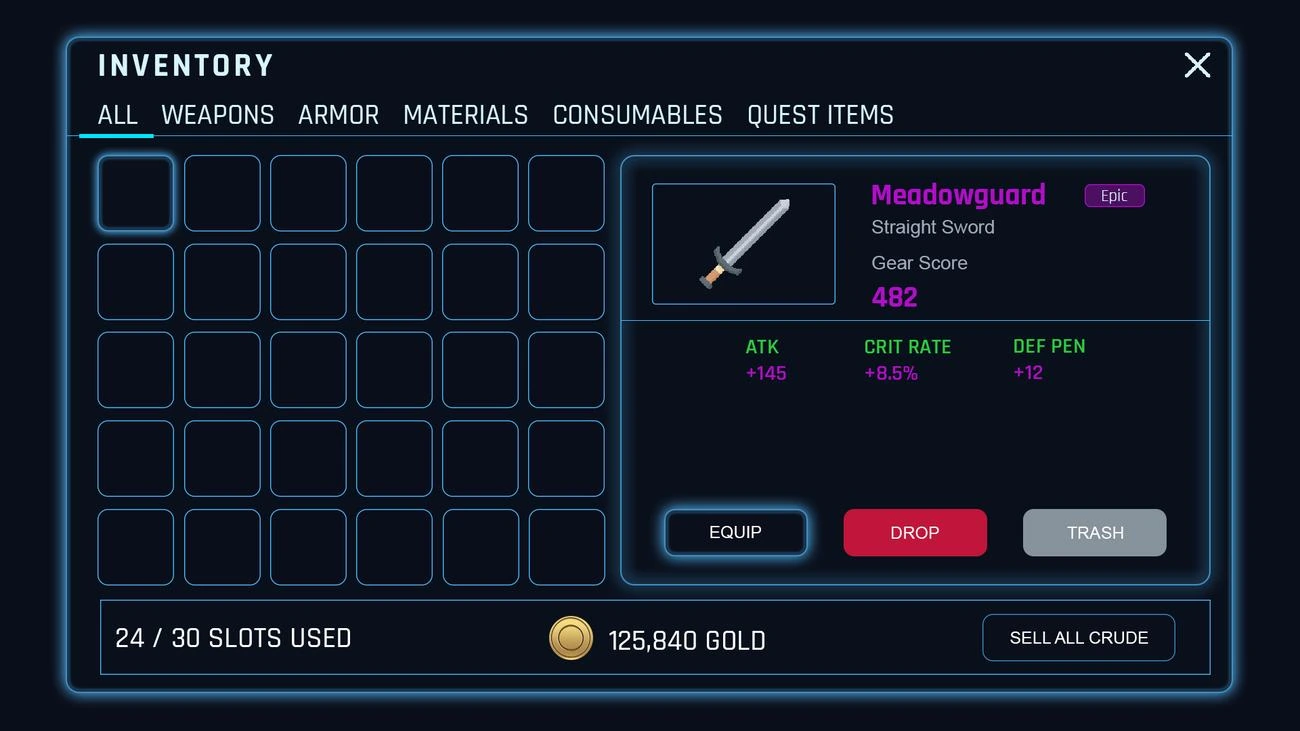
Inventory
Category tabs, a grid of item slots, and a detail panel with gear score, stats, and equip/drop/trash actions.
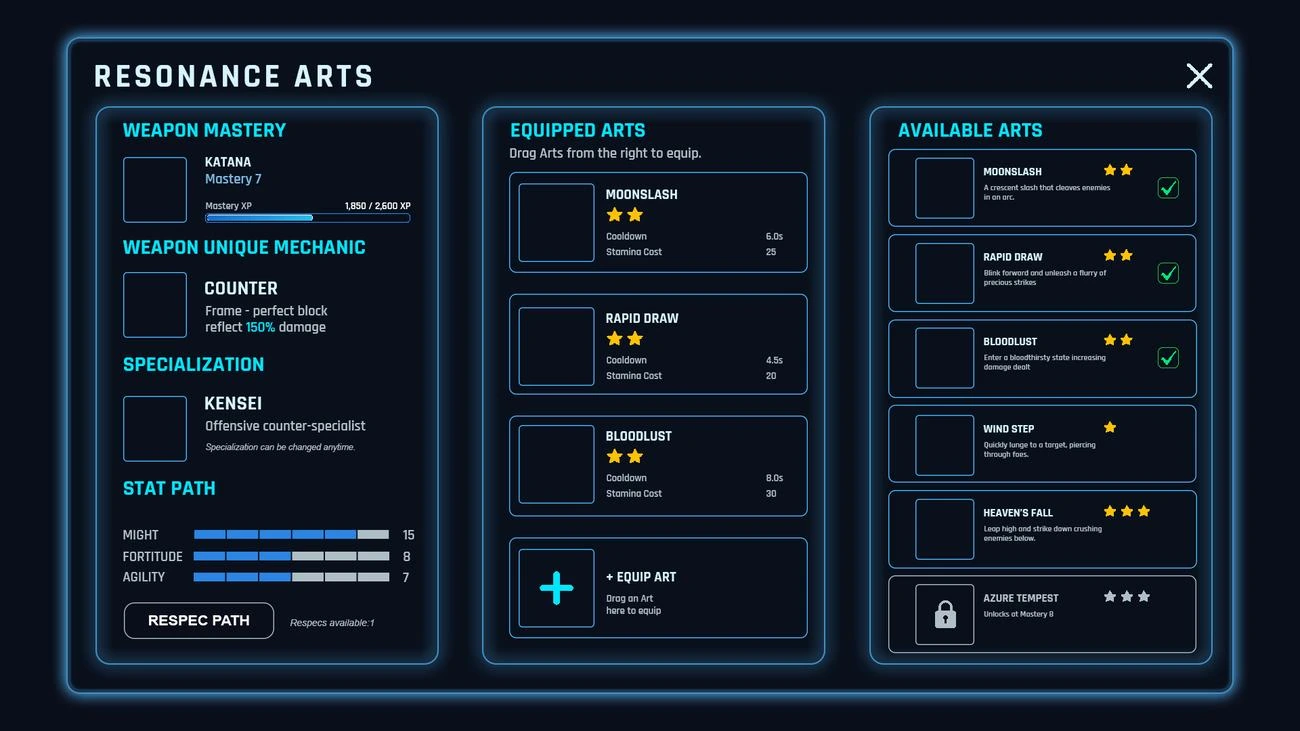
Resonance Arts (Skill Loadout)
A three-column drag-to-equip system for combat skills, weapon mastery progress, and a respec option.
World & Quests
Knowing where to go, and why.
A hand-painted world map paired with a clear quest tracker so players always have a next objective in sight.
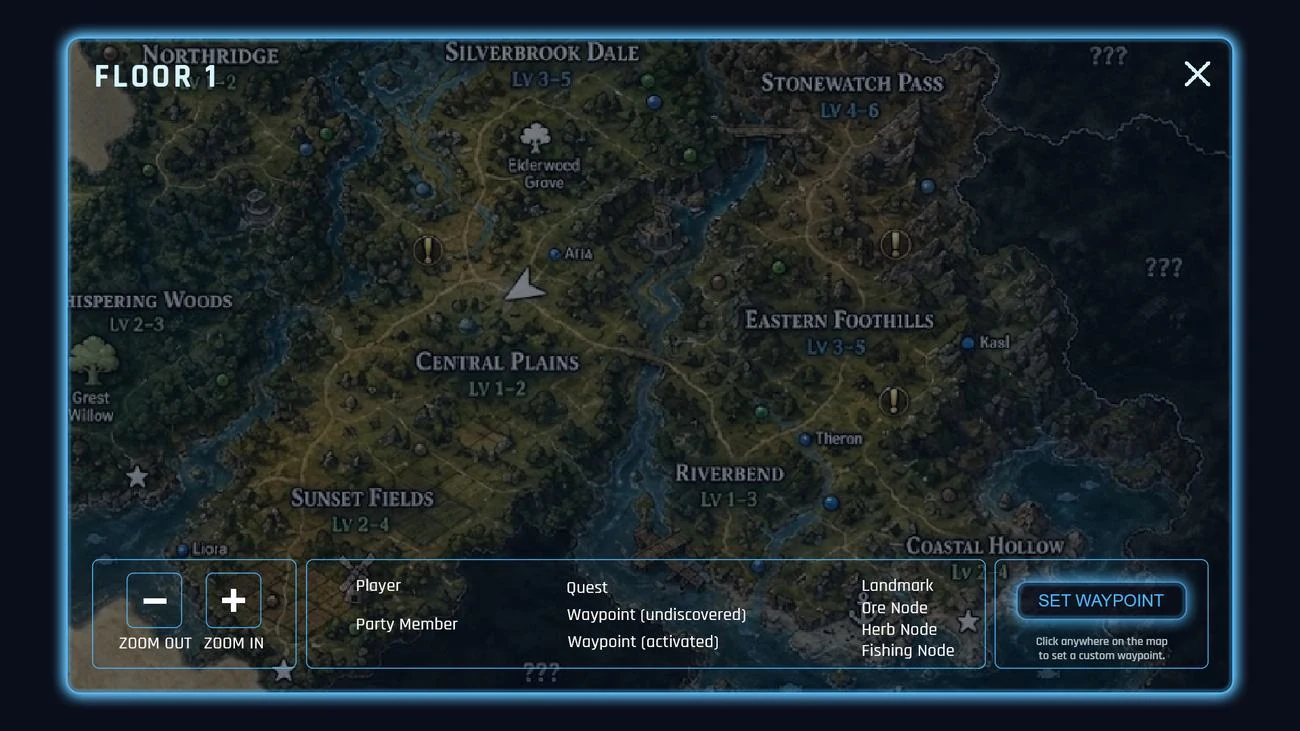
World Map
Leveled regions, zoom controls, a legend, and click-to-set custom waypoints over painterly terrain art.
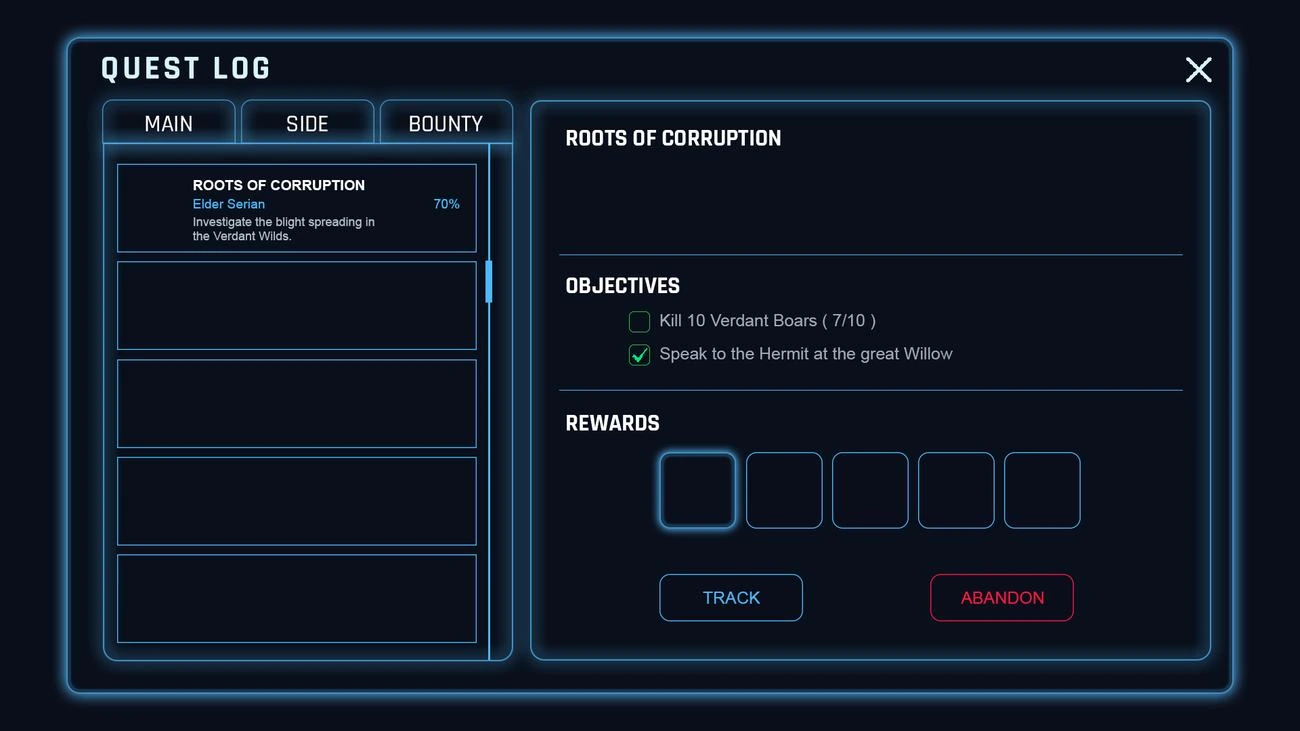
Quest Log
Main/Side/Bounty tabs, a progress percentage, checkable objectives, and a reward preview row.
Crafting & Settings
The systems underneath the adventure.
A profession-based crafting system and a full settings suite — the unglamorous screens that still need to feel like part of the same game.
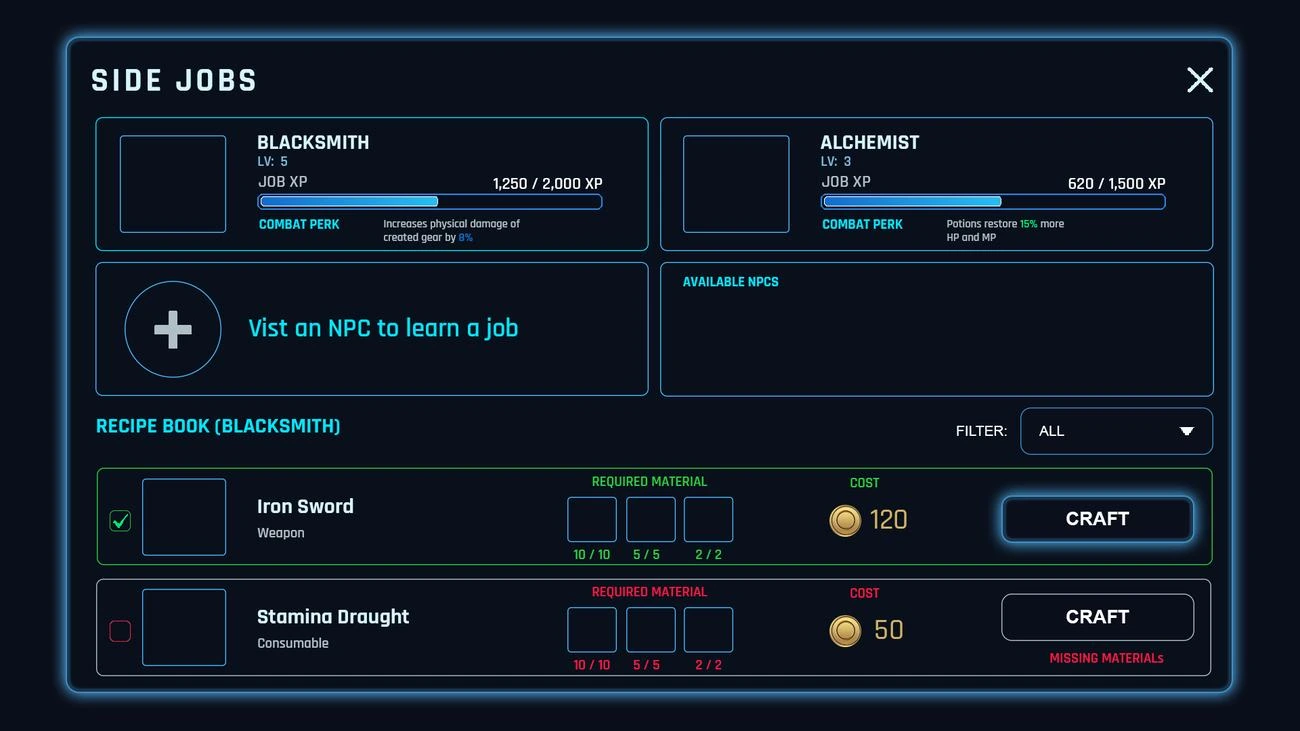
Side Jobs (Crafting)
Blacksmith and Alchemist professions with job XP, combat perks, and a filterable recipe book.
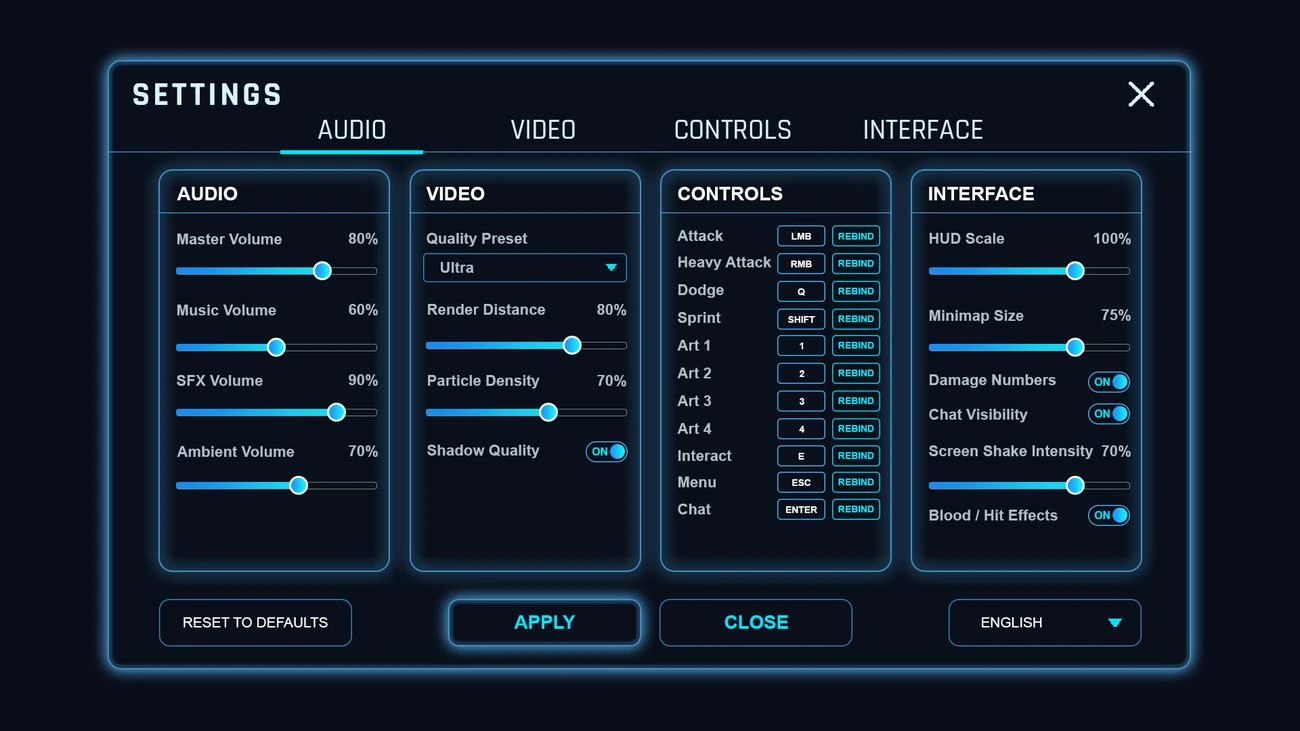
Settings
Audio, Video, Controls, and Interface tabs — every slider, toggle, and rebind a player would expect.
Design Approach
Every screen was built entirely in Adobe Photoshop — panels, glow effects, and iconography constructed as reusable layer groups so the same hexagonal frame and cyan edge-light could be dropped into any new menu without rebuilding it from scratch. With fifteen screens due in fourteen days, the priority was a strict shared component library from day one: one button state, one panel border, one icon weight, reused everywhere instead of redesigned per screen.
The visual language leans into "elegant sci-fantasy" — serif display type for narrative moments (loading screen, cinematic beats) paired with a clean geometric sans for functional HUD text, so the game reads as epic during story moments and stays perfectly legible during fast combat.
Building a game that needs a full UI system? Book a Call.
Planning a similar project?
Explore the scope, process and starting prices: Roblox UI Design.